
DataForSEO MCP, next to your Search Console and GA4 data
DataForSEO's official MCP server gives your assistant keyword, SERP, backlink and on-page data — 89 tools in all. Connect it with your API login, keep only the tools you need, and put it in the same endpoint as Search Console and GA4, so one conversation can compare the market with your own numbers.
- 89 tools in 10 API groups
- Pick the tools per endpoint
- Same URL as Search Console and GA4
What you can ask
Plain-language questions, answered from live data. Each one shows the tools your assistant will call.
“Get Google search volume and keyword difficulty for these 30 keywords in the US.”
kw_data_google_ads_search_volumedataforseo_labs_bulk_keyword_difficulty“Take our Search Console queries in positions 11–20, add search volume and intent, and rank them by opportunity.”
get_advanced_search_analyticskw_data_google_ads_search_volumedataforseo_labs_search_intent“Which keywords does competitor.com rank for that never show up in our Search Console data?”
dataforseo_labs_google_ranked_keywordsget_search_analytics“Show today's top 10 Google results for “remote mcp server” in the US and who owns each one.”
serp_organic_live_advanced“How many referring domains did we gain and lose over the last 90 days?”
backlinks_timeseries_new_lost_summary“Run a Lighthouse audit on our pricing page and summarize the biggest issues.”
on_page_lighthouse89 tools in 10 groups
Everything DataForSEO's official server exposes, grouped by API. You choose which ones each endpoint gets — most SEO workflows need fewer than ten.
Keyword data
7 toolsGoogle Ads search volume, Google Trends and DataForSEO Trends.
kw_data_google_ads_search_volumekw_data_google_trends_explore+5 moreAmazon
10 toolsAmazon keyword volume, product rankings, competitors and sellers.
dataforseo_labs_amazon_ranked_keywordsmerchant_amazon_products_live_advanced+8 moreDataForSEO Labs
21 toolsRanked keywords, keyword ideas, difficulty, search intent, competitors and traffic estimates.
dataforseo_labs_google_ranked_keywordsdataforseo_labs_google_keyword_ideasdataforseo_labs_bulk_keyword_difficulty+18 moreSERP
7 toolsLive Google organic results and YouTube results, video details and comments.
serp_organic_live_advancedserp_youtube_organic_live_advanced+5 moreBacklinks
20 toolsBacklinks, referring domains, anchors, new and lost links, spam scores and link gaps.
backlinks_summarybacklinks_referring_domainsbacklinks_timeseries_new_lost_summary+17 moreOn-page
3 toolsPage content parsing, instant page checks and Lighthouse audits.
on_page_lighthouseon_page_instant_pages+1 moreAI optimization
13 toolsBrand and domain mentions in LLM answers, AI keyword volume and ChatGPT results.
ai_opt_llm_ment_agg_metricsai_optimization_keyword_data_search_volume+11 moreDomain analytics
4 toolsWHOIS data and the technologies a site uses.
domain_analytics_whois_overviewdomain_analytics_technologies_domain_technologies+2 moreContent analysis
3 toolsCitations of a keyword across the web and how they trend.
content_analysis_summarycontent_analysis_phrase_trends+1 moreBusiness data
1 toolBusiness listings from Google Maps.
business_data_business_listings_searchA lean starting set
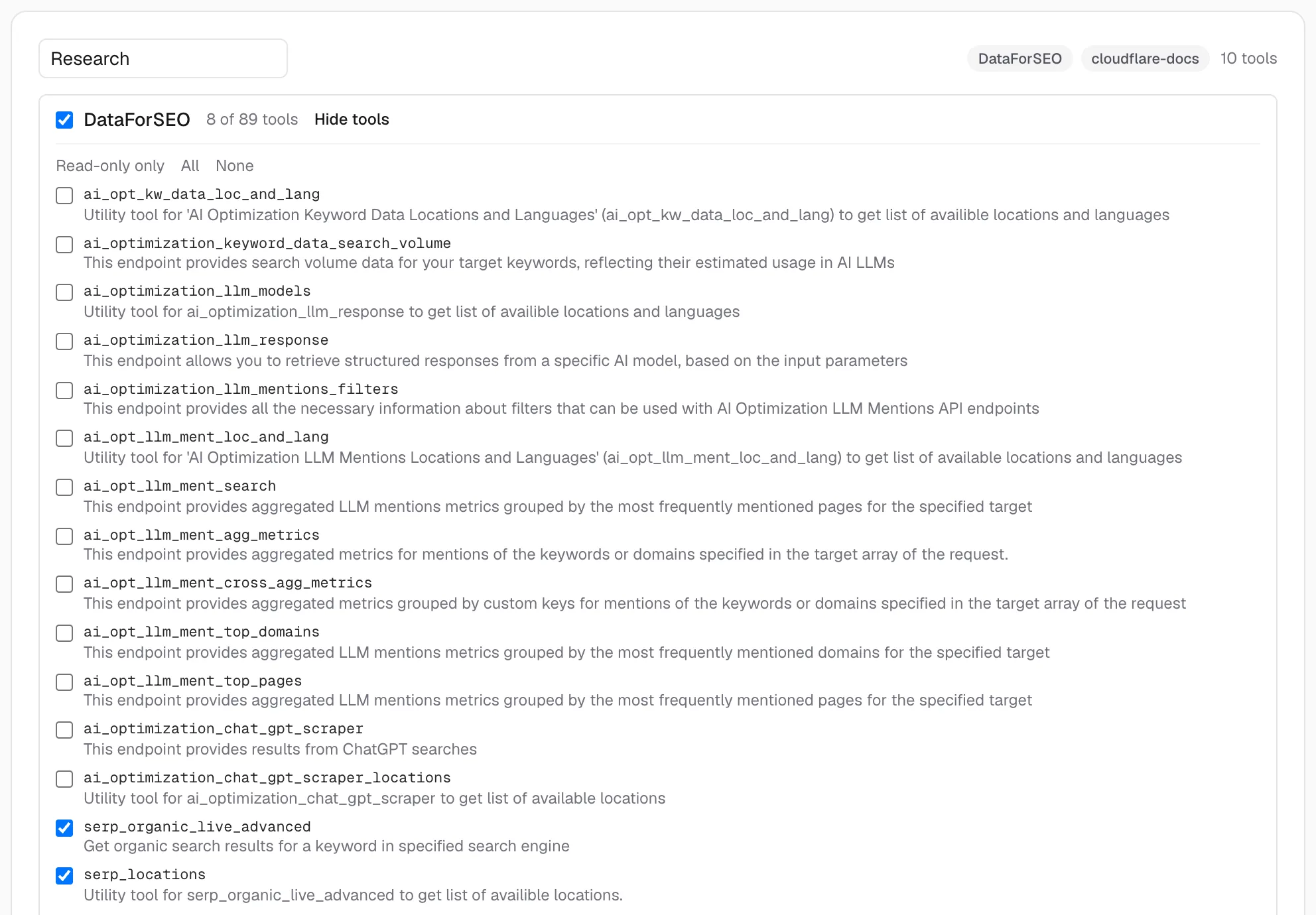
For keyword and competitor research, these 8 tools answer most questions. Start here and add more when you need them.
kw_data_google_ads_search_volumedataforseo_labs_google_keyword_ideasdataforseo_labs_bulk_keyword_difficultydataforseo_labs_search_intentdataforseo_labs_google_ranked_keywordsserp_organic_live_advancedserp_locationsbacklinks_summarySet it up in three steps
- 1
Get your API credentials
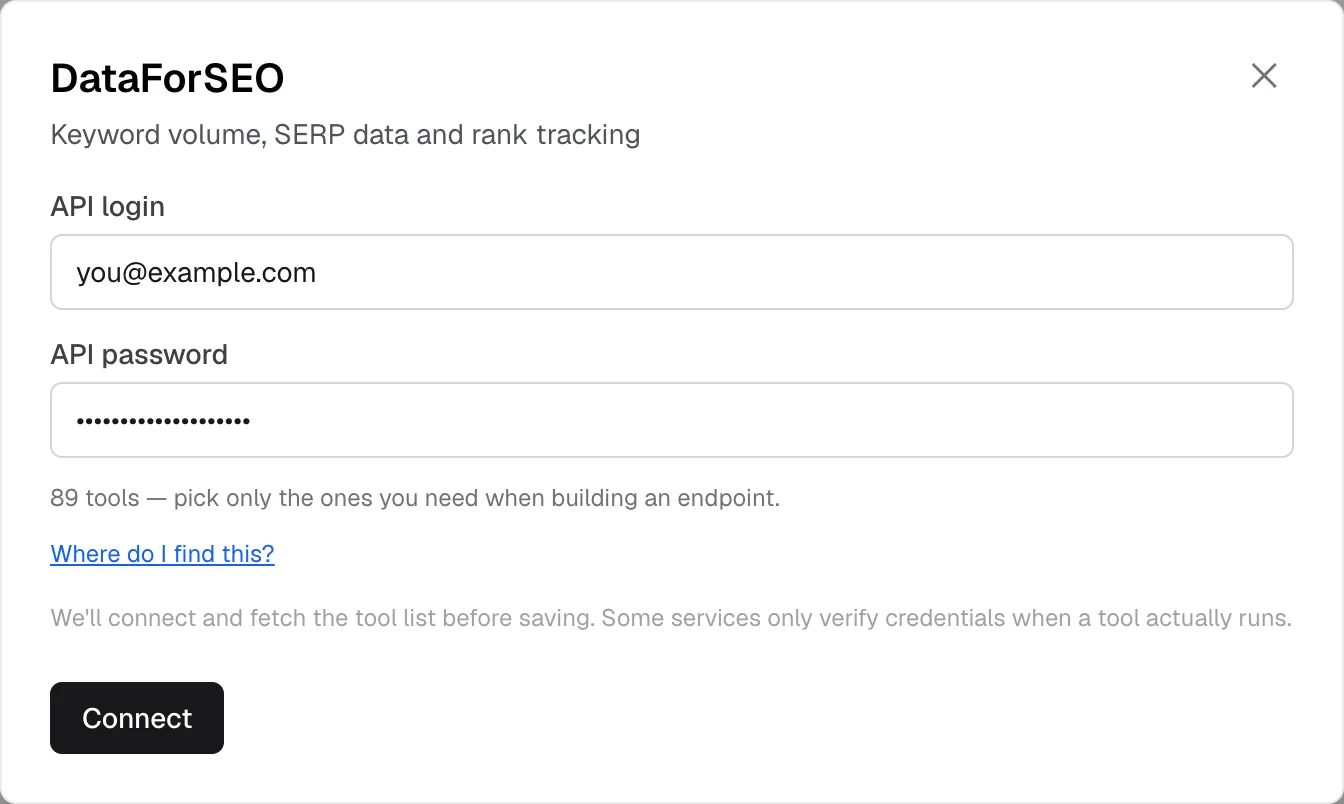
In your DataForSEO dashboard, open the API access page and copy your API login and API password. They're different from the password you sign in with.
- 2
Connect DataForSEO
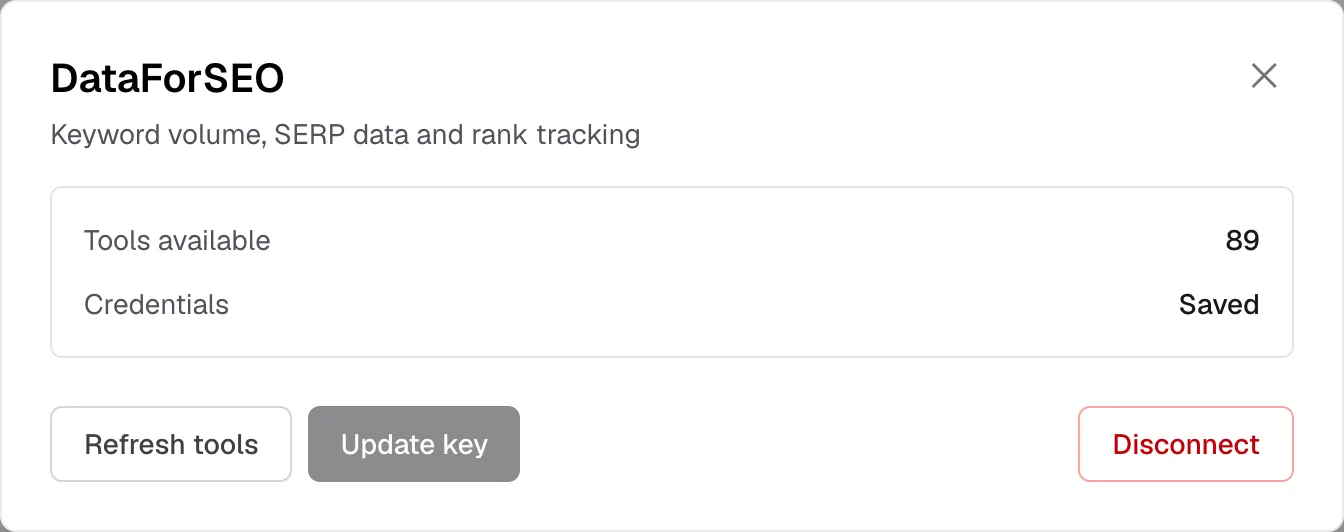
In KumoMCP, open Services, choose DataForSEO and paste both values. We encrypt them, connect to DataForSEO's server and load its tool list.
- 3
Build an endpoint with just the tools you need
Tick the DataForSEO tools you want next to Search Console and GA4, then paste the endpoint URL into your client. Tools show up as dataforseo__<tool> so names never collide with other servers.
What it looks like
Real screens from the product. Account details are masked.
Add the endpoint to your client
Your dashboard shows these with your real URL filled in, ready to copy.
Claude Code
Terminalclaude mcp add --transport http kumomcp-seo https://mcp.kumomcp.com/u/YOUR-ENDPOINT-TOKEN/mcpAdd --scope user to make it available in every project, or --scope project to share it via .mcp.json.
Codex
Terminalcodex mcp add kumomcp-seo --url https://mcp.kumomcp.com/u/YOUR-ENDPOINT-TOKEN/mcpCursor
.cursor/mcp.json (project) or ~/.cursor/mcp.json (global){
"mcpServers": {
"kumomcp-seo": {
"url": "https://mcp.kumomcp.com/u/YOUR-ENDPOINT-TOKEN/mcp"
}
}
}Claude Desktop · Claude.ai · ChatGPT
Endpoint URLhttps://mcp.kumomcp.com/u/YOUR-ENDPOINT-TOKEN/mcpClaude Desktop and Claude.ai: Settings → Connectors → Add custom connector, paste the URL and leave the OAuth fields empty. ChatGPT: Settings → Connectors → Developer mode → Create, paste the URL, authentication: none.
Connecting directly vs. through KumoMCP
DataForSEO's server is already remote, so you can add it to Claude Code or Cursor yourself with your credentials in an Authorization header. Going through KumoMCP changes a few things:
| Aspect | DataForSEO directly | Through KumoMCP |
|---|---|---|
| Credentials | Your login and password, base64-encoded, in every client's config | Stored once, encrypted; clients only get an endpoint URL |
| Claude.ai and ChatGPT | Need a way to send a custom Authorization header | Paste the URL — no header needed |
| Tool selection | Configured in each client | Set once per endpoint, shared by every client |
| Search Console and GA4 | Separate servers | Same endpoint, same URL |
| Pricing | DataForSEO API rates | DataForSEO API rates; KumoMCP never adds per-call fees |
Costs and credentials
- DataForSEO bills each request to your DataForSEO account at its usual API rates. KumoMCP adds no per-call fees, and an endpoint limited to the tools you need keeps your assistant away from the ones you don't.
- Your API login and password are encrypted with AES-256-GCM before they're stored, decrypted only to forward a request, and never shown back or written to logs.
- DataForSEO checks credentials when a tool runs, not when you connect — a typo shows up as an error on the first call. You can update the credentials from the Services page.
DataForSEO: common questions
Is this DataForSEO's official MCP server?
Yes. KumoMCP connects to DataForSEO's official hosted server (mcp.dataforseo.com) with your credentials and passes its tools through unchanged — we don't reimplement them.
Do I need my own DataForSEO account?
Yes. KumoMCP doesn't resell DataForSEO data; every request runs on your own DataForSEO account and balance.
Why not enable all the tools?
You can. But each of the 89 tool definitions takes up room in your assistant's context and gives it one more way to pick the wrong — or a pricier — call. Most research needs a handful, which is why endpoints let you choose.
How does it count against my KumoMCP plan?
DataForSEO is one connected MCP server. The free plan includes 2 connected servers and 1 endpoint; Pro removes the server limit and allows up to 10 endpoints.
Which MCP clients does it work with?
Any client that can add a remote MCP server over Streamable HTTP: Claude Code, Claude Desktop, Claude.ai, ChatGPT (connectors in developer mode), Cursor and Codex. The endpoint URL is the credential, so there's no OAuth step in the client — paste the URL and you're done.
Keep reading
Wire your MCP servers into your AI in 2 minutes
Free to start, no credit card, calls never metered. Your assistant is one URL away.
Start free